
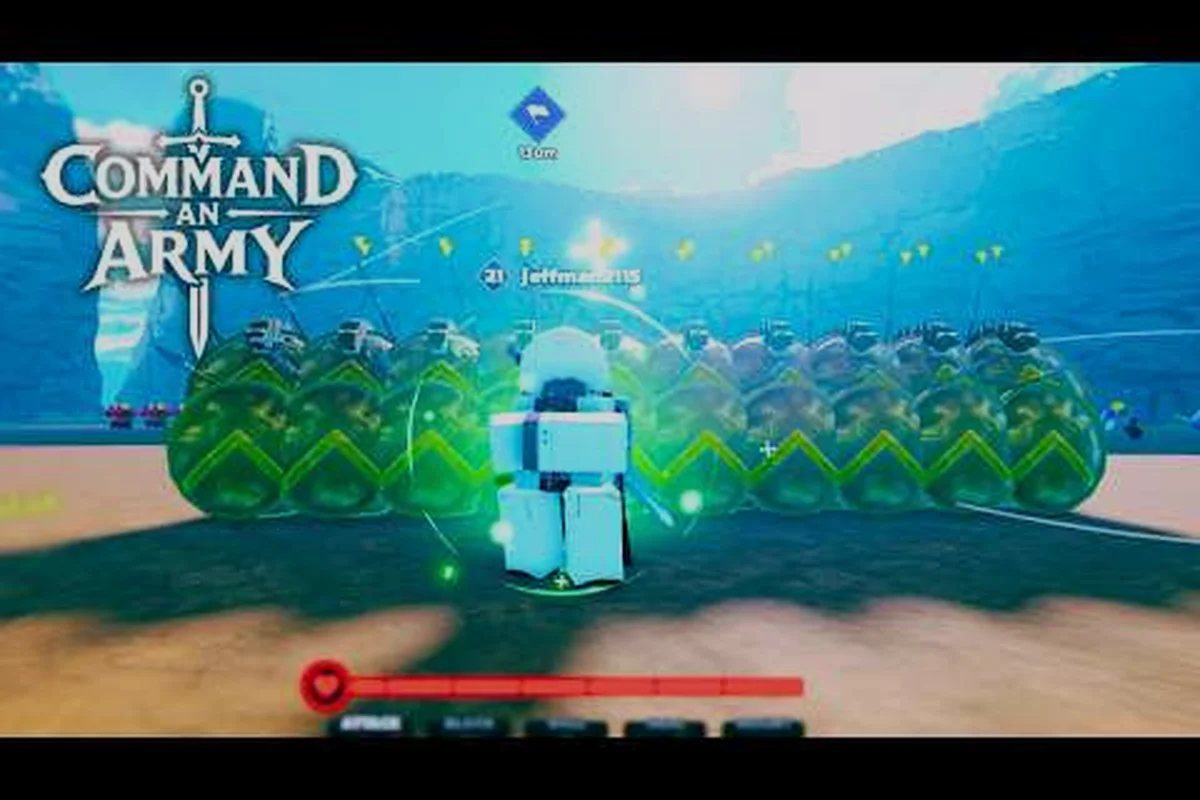
Command An Army community events turn a solo queue of strangers into a coordinated strike force, and the gap between players who run organized groups and players who just hit "play" is enormous. Most of the weekend tournaments, clan skirmishes, and developer-hosted showmatches are announced first inside the official channels, then funnelled through clan rosters and squad finder lobbies. This guide walks through every practical way to plug into those events, from joining your first clan to filling a five-stack with voice-comms-ready teammates before matchmaking even starts.
Command An Army Community Events Overview
Command An Army is a strategy battlegrounds Roblox title by developer JakeKamuii and the Fight, Fight, Fight! group, where two teams of AI-controlled squads clash across capture points. Because the entire gameplay loop hinges on formation orders, recruitment timing, and capture-point discipline, the developer and the broader player base run a steady calendar of community events that reward organized play rather than lone-wolf grinding. The official Command An Army Roblox page lists the live event ticker on its sidebar, while the official Fight, Fight, Fight! Roblox group is where the developer posts event signup threads, code drops, and patch notes.
What Counts As A Community Event
Community events in Command An Army fall into four broad buckets, and the boundaries between them are intentionally fuzzy. Knowing which bucket you are signing up for decides whether you need a full clan roster or just two friends with headsets.
| Event Type | Typical Size | Who Runs It | Best Entry Point |
|---|---|---|---|
| Weekend Tournaments | 8-32 teams | Developer / partnered creators | Discord announcements |
| Clan Skirmishes | 2-4 clans | Clan leaders | Clan rosters + Discord |
| Squad Finder PUGs | 5-10 squads | Players | In-game squad finder |
| Dev-Hosted Showmatches | 2-4 demo teams | JakeKamuii | Roblox group + TikTok |
Weekend tournaments are the headline events and almost always require a pre-registered roster. Clan skirmishes are looser, often organized by clan leaders on the fly through the squad finder or party invite system. Squad finder PUGs (pick-up groups) are the most accessible option, and dev-hosted showmatches are typically invite-only but stream on the official @commandanarmy TikTok account for community viewing.
Where Announcements Actually Land First
Event timing in Command An Army is fragmented across at least three official surfaces, and missing one can cost you a signup window. According to the official Command An Army Discord, the developer posts codes, update announcements, and event details first on Discord, then mirrors them to the Roblox group roughly 15-30 minutes later, and finally teases upcoming events on TikTok a day or two in advance. Treat Discord as the source of truth if you want first-mover advantage on rosters.
Finding And Joining Clans For Community Events
A clan is the single biggest force multiplier when you are trying to actually compete in Command An Army community events rather than just spectate them. Clans handle the boring parts of event prep — roster registration, role assignments, practice scrims, and voice comms — so individual members only have to focus on their own formation orders and capture-point calls. The Command An Army clan guide mindset treats a clan less like a social club and more like a pre-built squad you can drop into any event with zero warm-up.
Where To Recruit And Be Recruited
Clan recruitment happens in three layers, and serious event players use all of them in parallel. Discord server listings in the #clan-recruitment and #lf-clan channels are the most active surface during the first two weeks after a major update. The Roblox group occasionally pins clan recruitment threads, though the activity there is more sporadic. In-game, the squad finder tags requests with a [CLAN] prefix when a clan leader is searching for fresh members.
| Recruitment Surface | Best For | Typical Response Time | Activity Level |
|---|---|---|---|
| Discord #clan-recruitment | Active event clans | 1-12 hours | Very high |
| Roblox group threads | Casual/social clans | 1-3 days | Medium |
In-game squad finder [CLAN] | Skill-scouted recruits | Same session | High during events |
What To Evaluate Before Joining A Clan
Not every clan that advertises on Discord is worth your time, and joining a poorly organized one will actually hurt your event performance more than solo queueing. Evaluate prospective clans against the criteria in the table below before committing, because most clans expect a minimum weekly activity commitment around event days.
| Evaluation Criterion | Green Flag | Red Flag |
|---|---|---|
| Event History | Posts VODs/recaps of past tournaments | Cannot name a single event they finished |
| Roster Size | 15-25 active members across 3+ squads | Under 8 or over 60 with no structure |
| Voice Comms | Dedicated Discord server with role channels | "We use Roblox chat" |
| Practice Cadence | 2-3 weekly scrims against other clans | "We just play ranked" |
| Code Of Conduct | Written rules, active moderation | Frequent public drama |
If a clan fails more than two of these checks, keep looking. The Command An Army community event scene rewards clans that treat scrims like a team sport, not clans that treat events like a social hangout with extra steps.
Squad Finder And Party Guide For Event Signups
The squad finder is the in-game tool that solves the cold-start problem every organized player eventually runs into: you want to compete in a community event, but you do not have a clan yet, and the lobby is closing in 90 seconds. The party system sits on top of the squad finder, letting you lock in a group of up to five friends and queue together for a slot in a tournament or a quick PUG skirmish. Mastering the Command An Army party guide workflow is the difference between missing a signup window and locking down a full team before matchmaking even starts.
Step-By-Step Squad Finder Workflow
The squad finder UI is intentionally lightweight, so the workflow below is what experienced event players run on signup day. Following these steps in order will get you from a blank lobby to a registered tournament slot in under five minutes, which is the typical time window most events stay open after they go live.
-
Open the squad finder tab from the main lobby and filter by
Event Moderather thanCasual. -
Set the region tag to your closest server cluster to avoid desync during capture-point races.
-
Click Create Lobby and copy the auto-generated lobby code into your clan Discord channel.
-
Wait for four teammates to join, then promote one to Squad Captain if you plan to register for a tournament.
-
Hit Register For Event and paste any required clan tag or invite code from the Discord announcement.
-
Confirm the lobby in the in-game pop-up; a green checkmark means the registration is locked.
If the lobby does not fill within three minutes during a live event, jump into the #lfg-event Discord channel and post the code with a short role pitch ("Need 1 mid, 1 backline, voice on Discord"). Most events fill squads within five minutes of a code drop because the population is heavily skewed toward players who want to compete but have not yet joined a clan.
How To Invite Friends To Your Party
Inviting friends in Command An Army is layered across two systems, and confusing the two is the most common reason a party falls apart right before an event starts. Use the table below to pick the right method for your situation; both are necessary depending on whether the friend is on your Roblox friends list or a Discord-only contact.
| Invite Method | Use When | Friend Must Be | Downside |
|---|---|---|---|
| Roblox Friend Invite | Your friend is on your Roblox list | Already friends | No cross-platform bridging |
| Lobby Code Share | You just met in Discord | Nothing required | Manual code entry |
| Clan Roster Ping | You are in the same clan | Clan member | Tied to clan event calendar |
| Discord Stage Channel | Pre-event briefing | In clan/server | Not a true in-game party |
The best practice is to pre-add the friends you expect to run events with as Roblox friends at least a day before the event, then use the lobby code system on the day-of to fill any last-minute gaps. Mixing the two methods mid-event is a common source of miscommunication, because a friend who joined via lobby code will not see the same in-game markers as a friend who joined via Roblox invite.
Filling Your Roster: How To Find Teammates
Even with a clan and a party system in hand, there are stretches where you need a substitute, a temporary fifth, or a specialist role for a specific event. The Command An Army find teammates toolkit blends Discord activity, in-game squad finder pings, and the community's own recruitment conventions. Players who treat teammate-finding as a passive activity end up playing with randoms; players who treat it as a weekly habit end up with a contact list of 20-30 reliable subs.
Primary Teammate Channels
| Channel | Best For | Speed | Reliability |
|---|---|---|---|
| Discord #lfg-event | Day-of event signups | Minutes | High during events |
| Clan Discord member list | Scrim practice partners | Hours | Very high |
| Roblox group threads | Casual long-term recruits | Days | Medium |
| In-game squad finder | PUG skirmishes | Seconds | Low (randoms) |
| TikTok creator replies | Skill-scouted players | Days | Variable |
Reading A Teammate Profile
A teammate profile in Command An Army is sparse compared to games with full stat pages, but a few signals reliably separate event-ready players from casual fill-ins. Look for the following on a profile before you commit to a roster spot together, because swapping a weak link mid-event is much harder than refusing one at the invite stage.
-
Playtime concentration — A profile with 30+ hours concentrated in the last two weeks is more reliable than one with 200 hours spread over a year, because it signals current skill rather than legacy muscle memory.
-
Recent event participation — Roblox badges from the Fight, Fight, Fight! group list past tournament participation, and three or more event badges is a strong green flag.
-
Roblox friend count vs. activity — A profile with 50+ friends and visible recent join dates suggests the player actively builds a network, which correlates with showing up to scrims.
-
Region tag — Match region tags with the rest of your squad to avoid the capture-point desync that plagues cross-region teams during fast pushes.
If a player clears three of the four checks above and responds to your Discord DM within a few hours, they are almost certainly worth a spot on your event roster. Anything less and you are gambling on an unknown quantity under tournament pressure.
External Channels And Event Calendars
The community event ecosystem in Command An Army is supported by a small but consistent set of external surfaces. Knowing which surface posts what — and at what speed — is the difference between signing up for a tournament and reading about it the next day. The table below summarizes the live surfaces as of September 2026, based on community data and developer activity observed in the official channels.
| Channel | Posts Events | Posts Codes | Posts Patch Notes | Posts VODs |
|---|---|---|---|---|
| Official Discord | Yes, first | Yes, first | Yes, first | Sometimes |
| Roblox Group (Fight, Fight, Fight!) | Yes, mirrored | Yes, mirrored | Yes, mirrored | Rarely |
| Official TikTok (@commandanarmy) | Yes, teased 1-2 days ahead | Rarely | Teased only | Clips only |
| Official YouTube (MimoBlox + creators) | No | No | No | Yes, full VODs |
| In-game event banner | Yes, 30 min before | No | No | No |
According to the Command An Army Roblox group, the developer typically posts event signup threads 24-48 hours before the event goes live, with a final reminder on Discord 30 minutes before the lobby opens. Players who monitor all three official surfaces in that order — Roblox group for the calendar, Discord for the reminder, TikTok for the hype reel — will almost never miss a signup window.
The community also maintains an unofficial archive of past VODs and event recaps on YouTube, with creators like MimoBlox posting full match footage that is useful for studying opposing team compositions before a rematch. Watching one or two VODs of the clan you are about to face is one of the highest-ROI prep activities in the event scene, and it is something casual players almost never bother to do.
Frequently Asked Questions
How do I join a Command An Army community event as a solo player?
To join a Command An Army community event solo, open the Squad Finder, filter by Event Mode, create a lobby, then post the code in #lfg-event on the official Discord — most events fill a five-stack within five minutes. Skipping Discord typically means waiting 10-15 minutes for random matchmaking.
What is the difference between a clan and a party in Command An Army?
A clan is a persistent Roblox group, like Fight, Fight, Fight! run by JakeKamuii, with its own roster, Discord, and event history for long-term scheduling. A party is a temporary in-game lobby of up to five squad members for one match or event signup. Most players use both together.
Can I participate in community events without joining a clan?
Yes, you can join Command An Army community events solo, but your options are mostly limited to Squad Finder PUGs and open-lobby skirmishes. Weekend tournaments and clan skirmishes require a registered clan tag, so either join a clan via the Squad Finder and Party Guide or stick to PUG brackets to grind event XP and unlock event-specific badges.
How often does Command An Army run community events?
Command An Army doesn't run community events on a fixed weekly schedule, so there isn't a predictable cadence you can rely on. Instead, the developer Fight, Fight, Fight! drops events irregularly through the official Command An Army Discord and the Roblox group, where event details appear first alongside codes and update announcements. For the most reliable heads-up, enable Discord notifications and check the event calendar post pinned in the server rather than waiting for a set day.
Where do I find the official Command An Army event schedule?
The most reliable source is the pinned messages in the #events channel of the official Discord, which the developer updates 24-48 hours before each event. The Roblox group sidebar mirrors the same calendar with a small delay, and the in-game event banner shows a countdown to the next live event roughly 30 minutes before it opens.